WebhookMon
Webhook Debugging Guide
Stripe webhook signature error: "Timestamp outside the tolerance zone"
Short answer
Your secret is right and the body is intact. The SDK computed the HMAC, found a match in Stripe-Signature, and then rejected the request anyway because the t= value in that header is more than 300 seconds before your server's clock. Every official Stripe library ships with that 5-minute default (DEFAULT_TOLERANCE = 300) and reports it as a signature verification error, worded like this:
Node, PHP, Java:  Timestamp outside the tolerance zone
Python:           Timestamp outside the tolerance zone (1759536000)
Ruby:             Timestamp outside the tolerance zone (2026-10-08 14:00:00)
.NET:             The webhook cannot be processed because the current timestamp is outside of the allowed tolerance.
Go:               webhook.ErrTooOld
This is a different failure from No signatures found matching the expected signature for payload, which means the HMAC itself didn't match. If you're seeing that one, start with the signature verification failed guide instead. Here the signature was fine; the delivery was old.
Why Stripe signs a timestamp
Stripe's signed string is {t}.{raw body}, so the timestamp can't be changed without breaking the signature. Stripe's docs describe the point: a captured request plus its valid signature could otherwise be re-sent to your endpoint forever, and the timestamp lets your application reject one that is too old. Stripe's note on this is specific: don't use a tolerance value of 0, because it disables the recency check entirely.
One thing to know before looking for the cause: Stripe generates a new timestamp and signature for every delivery attempt, including automatic retries, Resend in the Dashboard (available for 15 days after the event) and stripe events resend <event_id> --webhook-endpoint=<we_id> from the CLI (30 days). An event's created field has nothing to do with this check. If Stripe sent the request, the timestamp is the moment it sent it, and the only thing that can make it stale is what happens after it arrives.
The four causes
- You replayed a captured request yourself. A saved body and header posted back with curl, a test fixture recorded last week, a request a proxy stored and re-sent. The
t=inside is from the original send, and the signature pins it there, so changing it means re-signing. See below. - You verify later than you receive. Accepting the request, putting the raw body and header on a queue, and calling
constructEventin a worker minutes later moves the check past the window. So does sitting at a breakpoint for five minutes. - Your clock is ahead. Node, Python, Ruby and Java only check
timestamp < now - tolerance, so a server clock running fast makes fresh deliveries look old. PHP and .NET compare the absolute difference, so a clock off by more than five minutes in either direction fails there. Stripe's advice is NTP; on a Mac,sntp time.apple.comprints the offset without changing anything. - Tunnels and relays that queue. A forwarding tool that holds deliveries while your laptop is offline and flushes them when you reconnect hands you requests with their original timestamps. A tool that re-signs on delivery doesn't have this problem; one that forwards byte for byte does.
# How old is the t= in a header you are looking at?
T=1759536000
echo $(( $(date +%s) - T ))

# Is this Mac's clock right? Prints the offset without changing anything.
sntp time.apple.com
Passing a tolerance in each SDK
Every library takes the tolerance in seconds as an extra argument. Widening it is fine for development; in production it is the only thing standing between you and a replay of a real payment event, so keep it close to the default.
// Node: fourth argument, in seconds
const event = stripe.webhooks.constructEvent(rawBody, sig, secret, 600);

# Python
event = stripe.Webhook.construct_event(payload, sig_header, secret, tolerance=600)

# Ruby
event = Stripe::Webhook.construct_event(payload, sig_header, secret, tolerance: 600)

// PHP
$event = \Stripe\Webhook::constructEvent($payload, $sigHeader, $secret, 600);

// Java
Event event = Webhook.constructEvent(payload, sigHeader, secret, 600L);

// Go
event, err := webhook.ConstructEventWithTolerance(payload, header, secret, 10*time.Minute)

// .NET
var stripeEvent = EventUtility.ConstructEvent(json, header, secret, tolerance: 600);
Turning the check off entirely differs by language: Node, Python, PHP and Java skip it for 0; Ruby's check is if tolerance && ..., and 0 is truthy in Ruby, so pass tolerance: nil; Go has webhook.ConstructEventIgnoringTolerance. Stripe's own guidance is not to do this outside tests.
Verifying from a queue
If the worker is the problem, move the check, not the window. Verify at receipt, then store the verified event and process it whenever you like. Python's stripe.WebhookSignature.verify_header(payload, sig_header, secret, tolerance) exists for exactly that: validate at the door, then use construct_event_without_verification downstream. Node's constructEvent also takes a sixth argument, receivedAt, in milliseconds, so the age is measured against the moment the request arrived rather than the moment the worker got to it:
// Record when the request arrived, before it goes on the queue.
const receivedAt = Date.now(); // milliseconds

// Later, in the worker: the age is measured at receivedAt, not now.
const event = stripe.webhooks.constructEvent(
  rawBody, sig, secret, undefined, undefined, receivedAt
);
Replaying a saved request: re-sign it
The timestamp is inside the signed string, so a replay needs a fresh header, not a wider tolerance. stripe-node ships a helper that signs any payload with any secret and timestamp:
const Stripe = require('stripe');
const stripe = new Stripe(process.env.STRIPE_SECRET_KEY);

// `body` is the saved raw body, byte for byte. `secret` is the whsec_ for the endpoint.
const header = stripe.webhooks.generateTestHeaderString({
  payload: body,
  secret,
  timestamp: Math.floor(Date.now() / 1000),
});
// Send `body` with `Stripe-Signature: ${header}`.
The body has to be the exact bytes you captured; the helper hashes what you give it. Hand-rolled versions for Node, plus the same shape for Slack and Polar, are in the replay guide.
Where WebhookMon fits
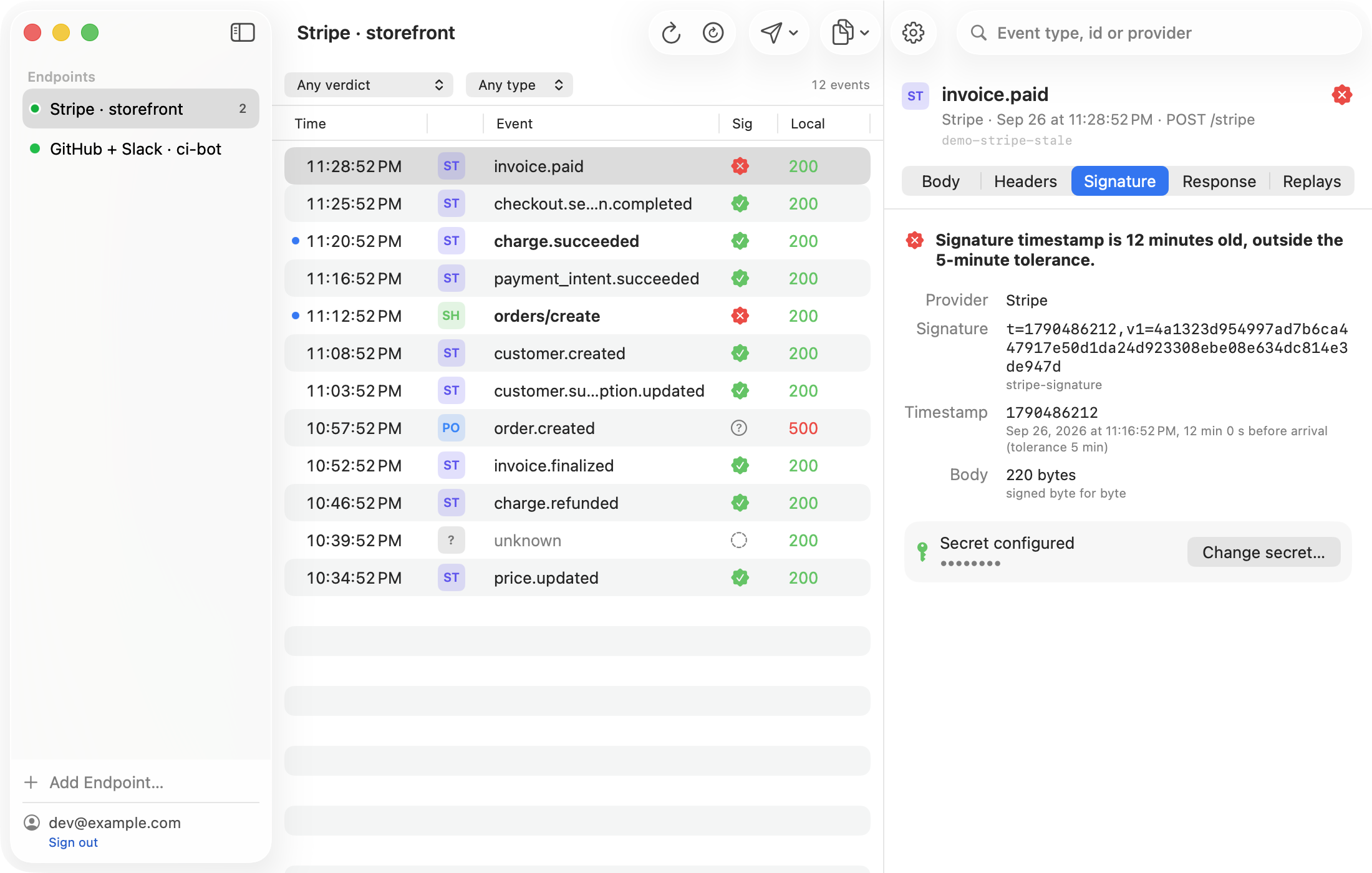
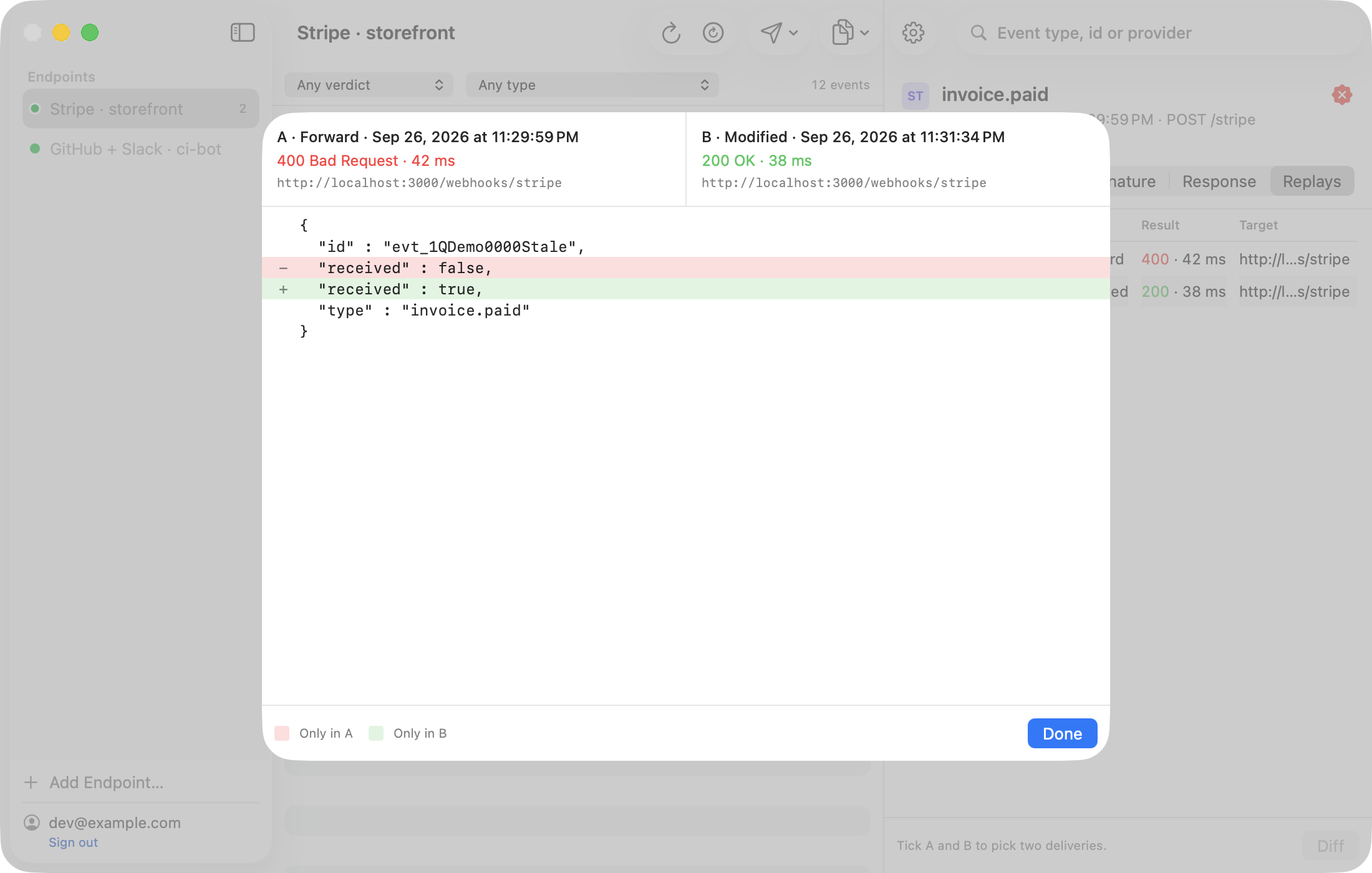
WebhookMon checks the same 300-second window on every Stripe event it captures and says so in words: Signature timestamp is 12 minutes old, outside the 5-minute tolerance. Because it holds the endpoint's whsec_, its Replay re-signs with the current time by default for Stripe, so a captured event from this morning verifies at your local server now. The original forward and the replay sit side by side with the status each one got from your server, which makes the clock-versus-queue question a two-second check rather than a guess.